Free Excel template · for Excel lovers
Your weekly report, in one second.
A team tracker that writes the status email and the screenshot for you. You type one date when a task is done. The file does the rest.
- No sign-up
- No macros
- Microsoft 365 or Excel 2021
- Ready for 1,000 tasks
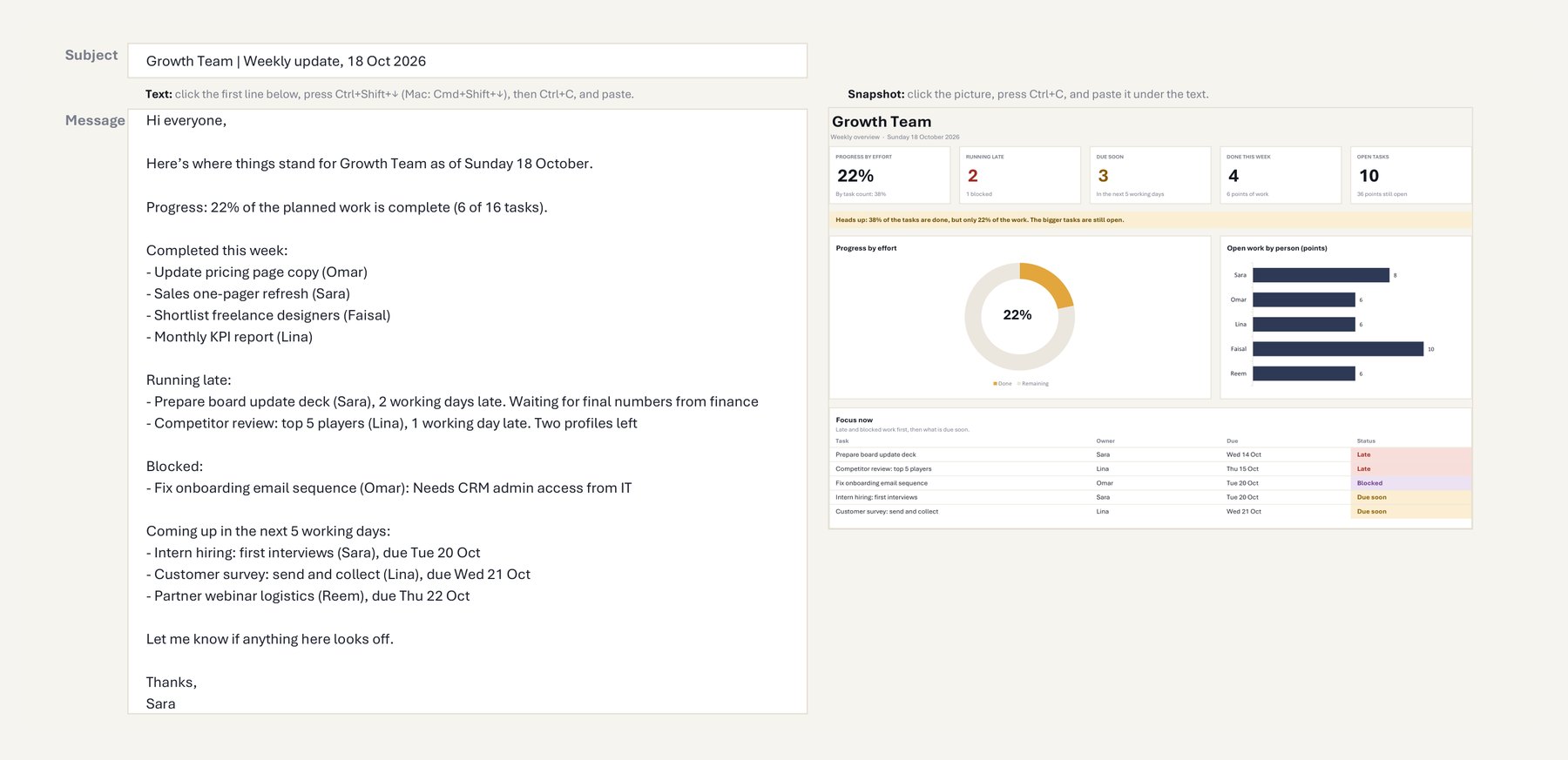
The email is already written.
Type the date. The numbers update. The email and the snapshot are ready.
What’s inside
Set it up once on Settings. After that, you only type on Tasks.
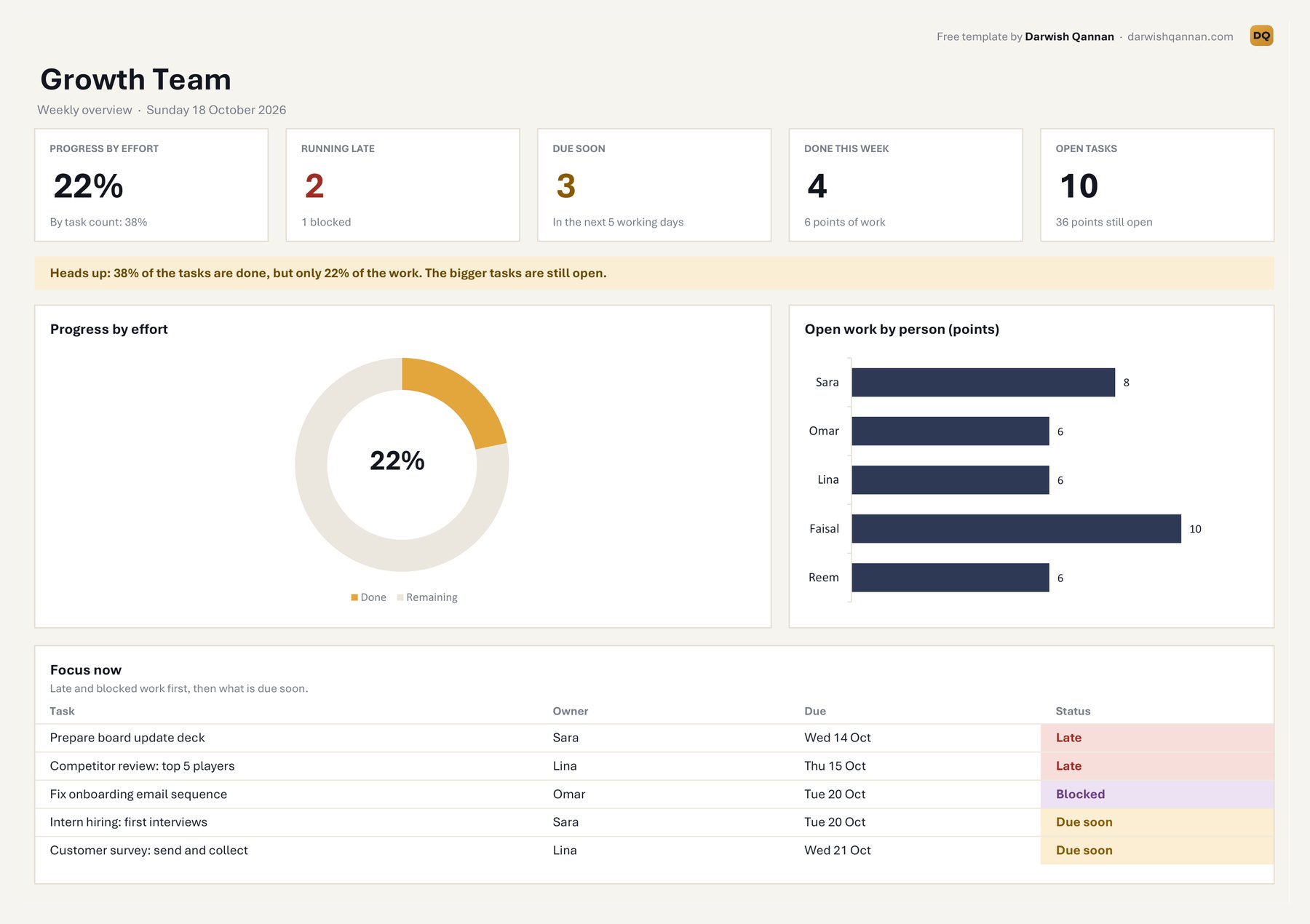
Five numbers, progress by effort, a donut, load by person, and the five tasks that need attention now.
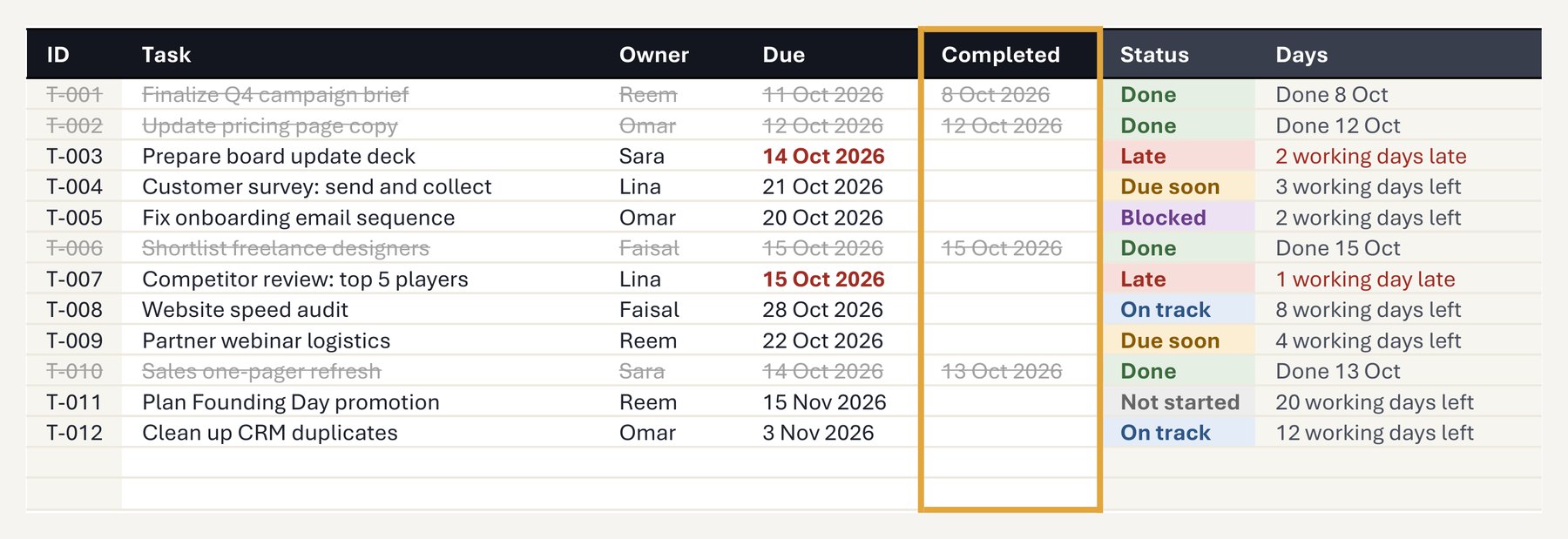
A real Excel table ready for 1,000 tasks. Formulas stay out of sight until you type a task.
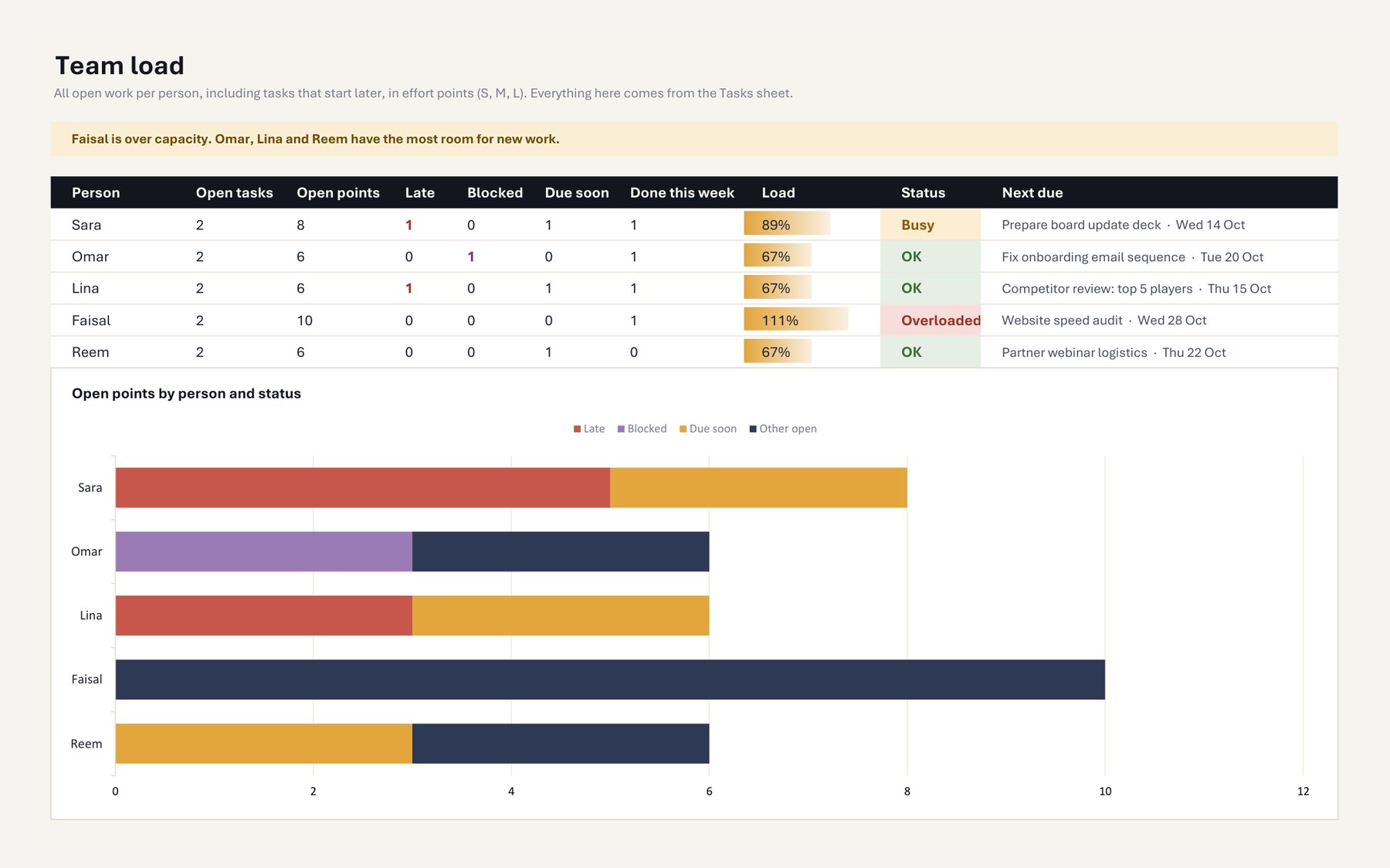
Open work per person against capacity: OK, Busy or Overloaded, and the next task each one has to deliver.
The status email, already written: done this week, running late and why, blocked, and what is coming up.
Team name, your weekend (Friday and Saturday, or Saturday and Sunday), weights, members and public holidays.
It won’t flatter your progress.
Most trackers count tasks. This one also weighs them by effort, so when the big tasks are still open, the Overview says so in plain words.
How it works
Set it up once. After that, one date per task.
- 01
Add your team
Names, your weekend and your holidays, once, on Settings.
- 02
List the tasks
Owner, effort, start and due date. New rows fill themselves.
- 03
Type one date
When a task is done, put the date in Completed. Ctrl + ; types today.
- 04
Send the report
Open Weekly Email, copy the text and the snapshot, paste, send.
Free. No sign-up. No macros.
Want it set up around how your team works? Let’s talk →